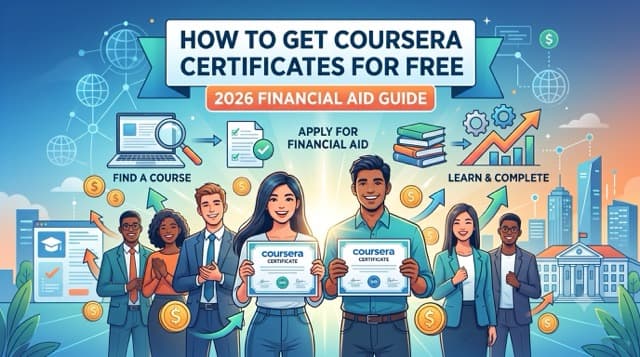
How to Get Coursera Certificates for Free: 2026 Financial Aid Guide
Table of Contents
Introduction
Coursera hosts some of the world’s most recognized online credentials from institutions like Google, Meta, IBM, Stanford, and Yale. However, for many students, job seekers, and career changers, paying $49 to $79 per month for a single course certificate or $399 per year for Coursera Plus is simply out of reach.
What many learners do not realize is that Coursera offers a dedicated Financial Aid program designed to make their certificates 100% free to anyone facing financial hardship. If your application is approved, Coursera grants full access to graded assignments, peer-reviewed projects, and an official verified certificate at zero cost.
In this comprehensive 2026 guide, we break down exactly how Coursera Financial Aid works, the difference between Audit Mode and Financial Aid, a step-by-step application walkthrough, and two approved 150-word essay templates you can adapt for your application.
Coursera Audit Mode vs. Financial Aid: What Is the Difference?
Before applying, it is vital to understand how Coursera categorizes free access. Many users confuse Audit Mode with Financial Aid. Here is how they compare:
| Feature | Audit Mode (Free) | Financial Aid (100% Free) | Paid Course ($49–$79/mo) | Coursera Plus ($399/yr) |
|---|---|---|---|---|
| Cost | $0 | $0 | $49 – $79 / month | $399 / year |
| Video Lectures | Yes | Yes | Yes | Yes |
| Graded Quizzes | No (Locked) | Yes (Full Access) | Yes | Yes |
| Peer Assignments | No | Yes (Graded) | Yes | Yes |
| Shareable Certificate | No | Yes (100% Free) | Yes | Yes |
| Approval Time | Instant | 16 Days | Instant | Instant |
While Audit Mode lets you watch videos for free, it does not allow you to submit assignments or receive a shareable certificate for your CV or LinkedIn. Financial Aid gives you 100% of the paid experience for free.
Step-by-Step: How to Apply for Coursera Financial Aid in 2026
Follow these four exact steps to submit a successful application on desktop or mobile browser:
Step 1: Locate the Financial Aid Link
Navigate to the course homepage of the program you wish to take (e.g., Google Data Analytics Professional Certificate). Directly next to or underneath the blue “Enroll” button, click the small link that says “Financial Aid Available”.
Pro Tip for Specializations: If a program consists of multiple courses (e.g. a 6-course Specialization), Coursera requires you to apply for Financial Aid for each individual course separately. You cannot apply for an entire Specialization in a single submission.
Step 2: Fill Out Your Financial Details
Coursera will present a modal asking for basic background information:
- Educational Background: Select your current level (High School, College Degree, etc.).
- Annual Income: Enter your actual gross annual income in USD (e.g.,
0if you are unemployed or a full-time student). - Employment Status: Select Unemployed, Student, or Part-Time.
- How much can you afford to pay?: Move the slider all the way to $0 / month.
Step 3: Answer the Two Required 150-Word Prompts
Coursera requires you to answer two mandatory essay questions. Coursera’s application form enforces a strict 150-word minimum length check for both fields. Submissions below 150 words cannot be submitted.
Step 4: Submit and Wait 16 Days
After clicking submit, Coursera places your application in a 16-day review window. Exactly 16 days from your submission date, you will receive an email confirming that your Financial Aid has been granted.
CRITICAL WARNING: Do NOT click “Start 7-Day Free Trial” while your Financial Aid application is pending! Starting a paid trial automatically cancels your pending Financial Aid application, forcing you to re-apply from scratch.
Approved Coursera Financial Aid Sample Answers (150-Word Templates)
Below are two professionally written, approved prompt templates. You can adapt these templates by filling in your specific details (target career, country, and course title):
Prompt 1: “Why are you applying for Financial Aid?” (150-Word Template)
“I am applying for Financial Aid because I am currently a student / recent graduate facing severe financial constraints. My current annual household income is insufficient to cover non-essential expenses like monthly subscription fees for online courses. Living in a developing economy with high living costs and limited entry-level job opportunities makes paying $49 USD per month a significant financial burden.
I am eager to upskill in [Insert Field, e.g., Data Analytics / Web Development] to improve my employability and secure an entry-level position. However, without financial assistance, I cannot afford the verified certificate fee. Receiving Financial Aid will allow me to access graded assignments, complete practical hands-on projects, and earn an industry-recognized credential without straining my basic living expenses. This course is a vital investment in my future career, and your support will make a transformative difference in my professional journey.”
Prompt 2: “How will taking this course help you achieve your career goals?” (150-Word Template)
“Completing [Insert Course Title] will directly support my long-term career goal of becoming a qualified [Insert Target Job Role, e.g., Junior Data Analyst / Web Developer]. This course covers essential industry tools and frameworks including [Insert Key Topic 1] and [Insert Key Topic 2], which are explicitly listed in job requirements across my target sector.
By obtaining a verified certificate, I can demonstrate concrete proof of competence to potential employers on my CV and LinkedIn profile. Furthermore, the practical graded assignments in this course will enable me to build real-world project deliverables that I can showcase in my professional portfolio.
Ultimately, this knowledge will bridge my existing skills gap, boost my confidence during technical job interviews, and enable me to contribute effectively to an entry-level role. Achieving this certificate is a critical stepping stone toward gaining financial independence.”
5 Common Mistakes That Lead to Coursera Financial Aid Rejection
- Submitting fewer than 150 words per answer: Coursera’s submission button remains greyed out until both prompts meet the 150-word character threshold.
- Starting a 7-day free trial during the 16-day waiting period: Clicking “Start Free Trial” converts your account to a paid subscription attempt and voids your pending aid application.
- Copy-pasting identical answers for different courses: If you apply for multiple courses, always update the course title, skills, and target job role in your essays.
- Selecting an amount greater than $0 on the payment slider: Moving the slider to $10/mo means Coursera will approve partial financial aid and charge you the remaining balance.
- Trying to apply for a full Specialization at once: Remember to apply to Course 1, Course 2, etc., individually.
What to Do During the 16-Day Approval Period
While waiting for your Coursera Financial Aid to be approved, do not let those 16 days go to waste! Here is how to keep momentum:
- Audit the Video Lectures: Click “Audit Course” to watch the lectures for free immediately so you are ahead when your financial aid unlocks graded quizzes.
- Audit Your CV & Skill Profile: Use the free Graduates Hub AI Skills Gap Analyser to evaluate your existing skills against current job listings.
- Explore 100% Free Instant Certificate Platforms: If you need a verified certificate immediately without waiting 16 days, check out our curated guides:
- Master Guide: Free Courses with Certificates (2026)
- Best Free CPD Certificates on Alison
- How to Learn Business Skills for Free Online
- Follow a Structured Career Path: Review our Step-by-Step Career Roadmaps across Data Analysis, Web Development, and IT Support.
Frequently Asked Questions (FAQ)
Can you get rejected for Coursera Financial Aid?
Rejections are extremely rare. As long as you meet the 150-word minimum requirement for both essays, provide honest financial context, and avoid starting a 7-day free trial while your application is pending, Coursera almost always approves financial aid applications.
Can I apply for Coursera Financial Aid on a mobile phone?
Yes. If the “Financial Aid Available” button does not appear in the Coursera mobile app, open Coursera in your mobile browser (Chrome or Safari) and select “Desktop Site” in your browser menu.
How many Coursera Financial Aid applications can I submit at once?
Coursera allows up to 10 active financial aid applications simultaneously. Once an application is approved or a course is completed, you can submit applications for additional courses.
Does Coursera Financial Aid cover Specializations and Professional Certificates?
Yes, but you must submit an application for each individual course within the Specialization series. For example, for a 4-course certificate, submit 4 separate applications.

Written by
Jason
Jason is a Web Technology Specialist specializing in SEO and content-driven digital platforms. He is the founder of GraduatesHub.co.za, where he publishes research-backed guides on free online courses, career development, and in-demand skills. In addition to GraduatesHub, Jason has worked on multiple SEO-focused web projects, gaining hands-on experience in content strategy, search optimization, and scaling organic traffic. His work centers on analysing online learning platforms such as Alison and Coursera, and helping users identify practical, career-relevant opportunities. His insights are based on direct platform testing, market research, and continuous monitoring of digital education trends.
Build Your Proof of Work Portfolio
Put reading into practice: complete graded portfolio tasks across IT, Web Dev, Data Analysis, Marketing, and Finance.
Not sure what to do with these courses?
Use our free AI career tools to review your CV, prep for interviews, identify skill gaps, and build a personalised learning roadmap.
Related Articles
Oct 25, 2026
Free CDC and NIH Public Health Certificates for Healthcare and NGO Workers (2026 Guide)
Discover how to earn free public health certificates, CEUs, and bioethics credentials from the CDC and NIH in 2026. Perf...
Read Article →
Oct 25, 2026
SBA Learning Center vs. FAI: Free Government Business and Contracting Courses (2026/27)
Compare free business, finance, and government contracting courses with certificates from the U.S. Small Business Admini...
Read Article →
Oct 25, 2026
CISA Learning (Formerly FedVTE): Free Government Cybersecurity Training Guide (2026)
Learn how to access free government cybersecurity courses and certificates on CISA Learning (formerly FedVTE) in 2026. E...
Read Article →